Your students practice better.
You see it happen.
Key Passage gives your students a practice app they'll actually open — with a curated classical music library, session tracking, and progress history. You get a dashboard that shows you everything without asking.
Set Up Your Studio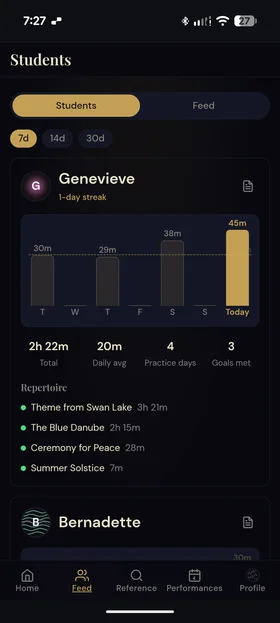
An app your students will actually use
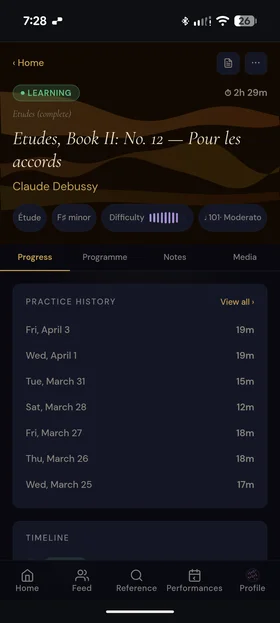
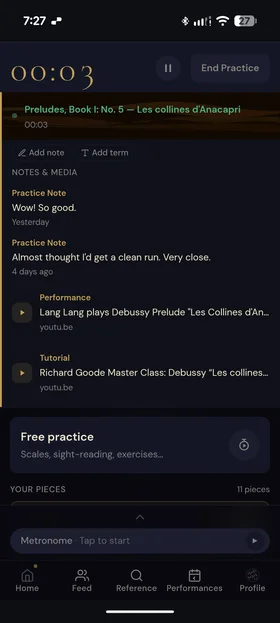
Key Passage isn't homework — it's a tool students want to open. Rich composer biographies, interconnected repertoire, and a practice history that makes progress visible. When the app is worth using on its own, students use it.
The reference material you'd give them if you could
Composer context, musical forms, glossary terms, difficulty ratings — everything you explain verbally and hope they remember. Key Passage puts it in their pocket, connected to the pieces they're learning.
Visibility without micromanagement
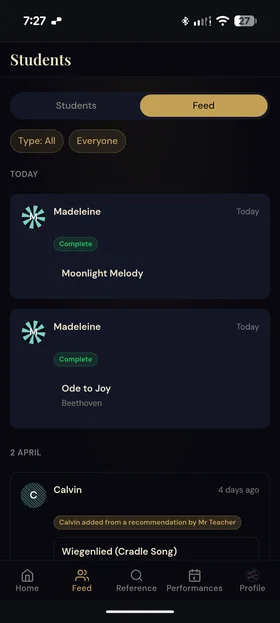
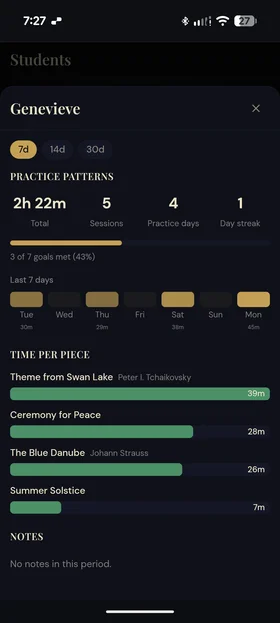
See which students practiced this week, how much time they spent, and what they're working on. Send piece recommendations that land directly in their library. No more texting, no more guessing.
Set up your studio in minutes
- Everything in Student
- Assign pieces to students
- Teacher notes on assigned pieces
- Student dashboard
- Studio practice visibility
- Multi-student management
Student subscriptions are separate — your students choose their own tier (including free).
See all tiers →Give your students a better practice experience
And see the results in your next lesson.
Set Up Your Studio